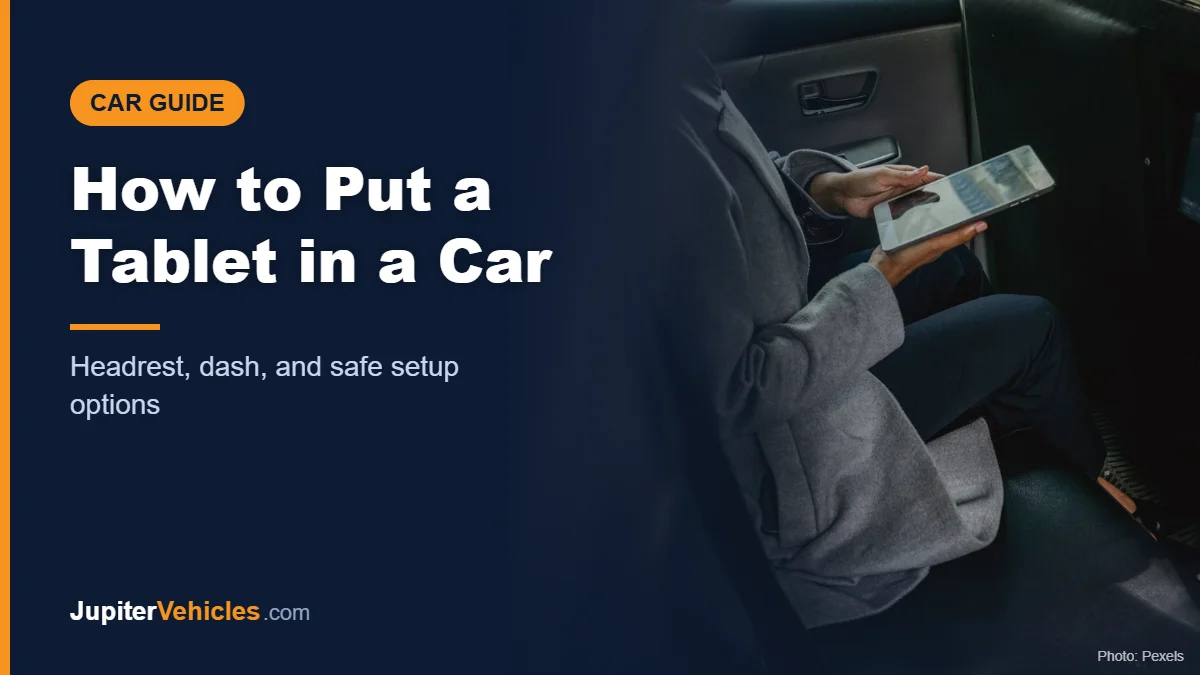
How to Put a Tablet in a Car: Headrest, Dash, and Safe Setup Options
The safest and most common way to put a tablet in a car is on a headrest mount behind the front seat, so rear passengers can watch or play while the driver focuses on the road. If you want a tablet up front for navigation, use a sturdy dash or cup holder mount that keeps it clear of your view and airbags, and only use it for maps, never video, while driving. Whatever you choose, the tablet should be secured, not loose on a seat.
Here’s how to set up each option.
Table of Contents
Option 1: Headrest Mount (Best for Passengers)
Headrest mounts clamp onto the metal posts of the front-seat headrest and hold the tablet facing the back seat.
How to install one:
- Raise the front headrest slightly to expose the metal posts.
- Attach the mount’s clamp to the posts and tighten it.
- Adjust the arm so the tablet sits at the passenger’s eye level.
- Insert the tablet and tighten the holder around it.
- Check that the mount doesn’t interfere with the front seat’s adjustment or the headrest’s position.
Check compatibility: headrest post spacing varies. Some mounts list specific post spacing or vehicles they don’t fit.
Affiliate disclosure: As an Amazon Associate I earn from qualifying purchases.
Lamicall says this headrest mount fits devices from 4.7 to 12.9 inches, including many iPads and Galaxy Tabs.
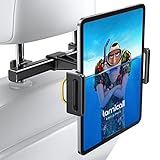
- 【 Universal Compatibility】 Lamicall car headrest tablet mount works with all 4.7-12.9 inch devices, such as new 2024 iPad Pro 13 inch/ 2022 / 2021 iPad Pro 11/ 12.9, 2024 iPad Air, iPad 10.9, iPad Air 6/ 5, iPad Mini 6/ 5/ 4/ 3, iPad Pro 9.7/ 10.5, iPad 10th generation, accessories, Galaxy Tab, iPhone 16 Pro Max, iPhone 15 Pro Max, 14 13 12 11 Pro Max, Xs, and other smartphones, tablets. Suit for 4.7 - 12.9 inches devices is refers to the length of the device diagonal, not the device's width.
- 【 360 Rotatable & Easy Installation】 360 degree rotation allows you to rotate any angle you desired, you only need adjust the expandable leg of backseat headrest mount, so it can be installed immediately.
- 【 Shockproof Protection】 The soft rubber lining protects your devices from friction, the telescoping arms can effectively prevent vibration while firmly grasping your rear seat and devices. Good car travel accessories for long trips.
- 【 More Convenient & Enjoyable】 Universal headrest iPad holder will bring you a great fun when watching movies, reading, playing games and listening to music with no hands during long car journeys.
- 【 Upgrade Version】 This updated version of the car headrest phone mount can be adapted to more car models. Headrest rod distance adaptation range: 2.8 - 5.9 inch( 70-150mm) .Like Truck, SUV, Sedan. Doesn't fit the car headrests without metal headrest rods, like Volvo.
Option 2: Dash or Cup Holder Mount (for Navigation)
A tablet can make a large navigation display, but it’s also big enough to block your view. If you mount one up front:
- Keep it low and out of your view of the road.
- Keep it clear of airbag deployment areas, including the passenger airbag panel.
- Use a mount rated for tablet weight. Phone mounts usually aren’t strong enough.
- Use it for navigation only while driving, set before you leave. Don’t watch video or type.
Many states regulate electronic devices and video displays visible to the driver, so check your local laws. California, for example, limits hand use of a mounted device to a single tap or swipe under Vehicle Code section 23123.5.
Option 3: Between-Seat or Floor Mounts
Some mounts clamp to the seat rail or sit between the front seats with a flexible arm. They can work for passengers in the front or rear, but make sure they don’t interfere with seat belts, seat movement, or the parking brake.
Why You Shouldn’t Leave a Tablet Loose
A loose tablet can slide around, fall into footwells, or become a projectile in a sudden stop. Mount it, or store it in a seat-back pocket or bag when it’s not in use.
Powering a Tablet on the Road
- USB-C or USB car charger: many tablets need a higher-wattage charger than phones. Check your tablet’s charging requirements.
- Long cable routing: for rear seats, run the cable along the seat side or under the floor mat so passengers don’t trip on it.
- Keep cables clear of the gear selector, pedals, and seat belts.
Tips for Road Trips With Kids
- Download movies and games before you leave; mobile data can be patchy.
- Use headphones so the driver isn’t distracted by audio.
- Adjust screen brightness to avoid glare reflecting onto windows at night.
- Take regular breaks. Screen time isn’t a substitute for stretching your legs.
Frequently Asked Questions
Can I use a phone mount for a tablet?
Usually not. Phone mounts aren’t designed for a tablet’s size or weight and can sag or fail. Use a mount rated for tablets.
Is it legal to watch a tablet while driving?
Drivers shouldn’t watch video while driving, and many states restrict screens visible to the driver. Passengers in the back can generally use a headrest-mounted tablet.
Will a headrest tablet mount fit my car?
Most fit standard headrest posts, but spacing varies. Check the mount’s compatibility notes before buying.
Where should I put a tablet for navigation?
Low on the dash or in a sturdy cup holder mount, out of your view of the road and away from airbags.
The Takeaway
For most families, a headrest mount is the best way to put a tablet in a car: it keeps passengers entertained and the driver focused. If you use a tablet for navigation up front, mount it low, keep it clear of airbags, and set your route before you drive.
For phone mounts, see our list of the best car phone mounts and our guide on where to place a phone holder in your car.