
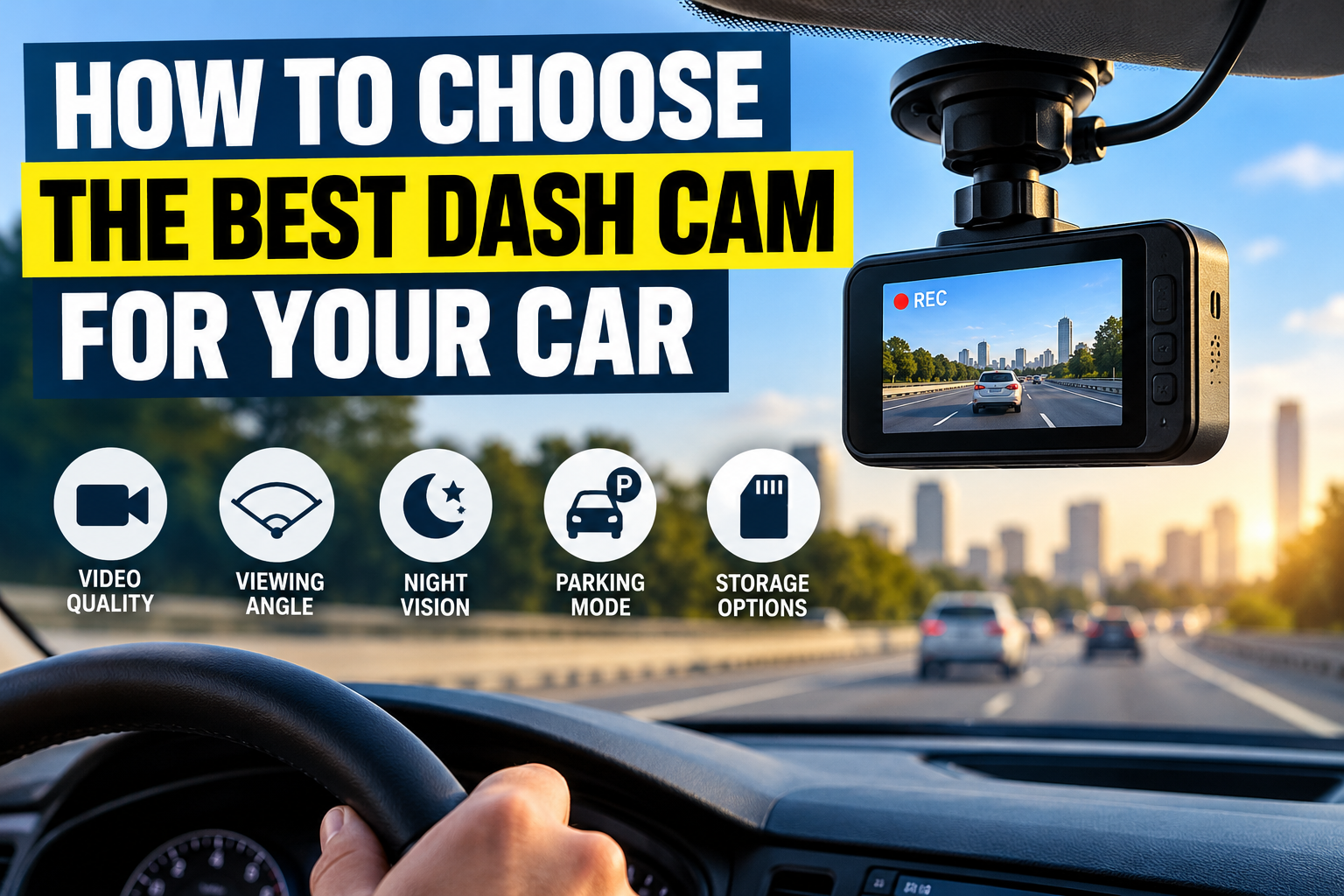
How to Choose the Best Dash Cam for Your Car: A Complete Guide
Choosing the best dash cam for your car starts with understanding what you want it to record. Some drivers need a reliable front-facing camera to document their daily commute, while others want front and rear coverage, clearer nighttime footage, or monitoring while their vehicle is parked.
The right dash cam should capture useful details, record consistently, and save important footage before it gets overwritten. It should also be easy to operate and compatible with your vehicle’s power supply, storage requirements, and installation constraints.
For most drivers, a good starting point is a front-facing dash cam with dependable 1080p or higher video, effective performance in low light, reliable loop recording, an appropriate high-endurance memory card, and automatic incident protection. Consider a dual-channel model if rear-end collisions or activity behind your vehicle are particular concerns.
Here is how to compare the features that matter before buying.
Table of Contents
1. Understand What You Need From a Dash Cam
Before comparing specifications, identify the situations in which you expect to use the camera. This makes it easier to avoid paying for features you may never need.
For everyday driving
If you mainly commute to work, run errands, or drive on highways, a front-facing camera may be sufficient. Prioritize clear daytime footage, reliable automatic recording, and straightforward access to saved clips.
For documenting incidents behind your vehicle
A front-and-rear dash cam records the road ahead and activity behind the car. It can be useful when another vehicle approaches from behind, during rear-end collisions, or when you want a more complete view of an incident.
Remember that a rear camera’s effectiveness depends on its position, image quality, and visibility through the rear window.
For overnight parking
If your car is frequently parked on public streets or in shared parking areas, look for a model with parking surveillance. Confirm that it supports the recording mode you want and that the required power connection is available.
Parking mode is not always included as a complete, ready-to-use feature. Some cameras require an additional hardwire kit or other manufacturer-approved accessory.
For rideshare or commercial driving
Drivers who regularly carry passengers may want an inward-facing camera as well as outward-facing coverage. However, recording inside the vehicle raises additional privacy considerations.
Before enabling interior video or audio recording, check applicable laws, workplace policies, passenger notification requirements, and data-handling obligations.
Practical tip: Write down your two or three most important requirements before shopping. For many drivers, those priorities are video clarity, reliable recording, and easy access to footage.
2. Compare Video Resolution and Image Quality
Resolution describes the number of pixels used to form a video image. Higher resolution can preserve more visual detail, but it does not automatically guarantee better evidence.
A camera’s lens, sensor, exposure, image processing, and recording bitrate also influence the final result.
Is 1080p enough, or should you choose 2K or 4K?
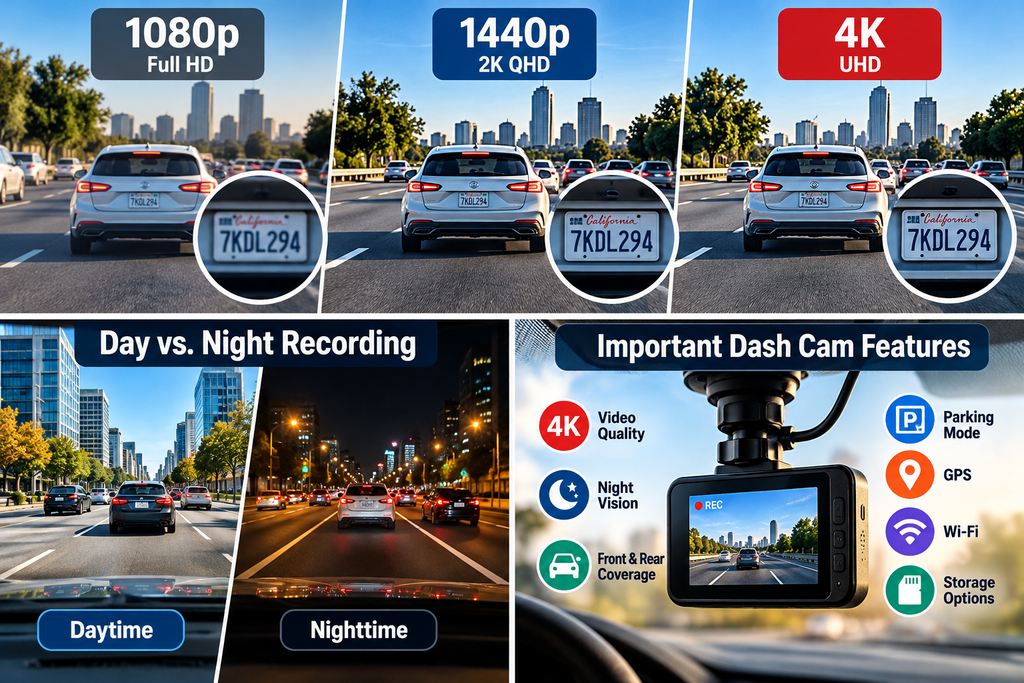
| Resolution | Main advantage | What to consider |
|---|---|---|
| 1080p Full HD | Often sufficient for everyday recording | Less image detail when cropping or enlarging footage |
| 1440p or 2K-class | Provides more pixels than 1080p | Actual performance depends on the sensor and processing |
| 4K UHD | Offers greater potential detail for distant or cropped footage | Typically requires more storage and may cost more |
These are general comparisons rather than guarantees of image quality. Manufacturers may use different resolution labels and recording settings, so check the actual specifications.
For many drivers, a well-performing 1080p or 1440p camera is a sensible starting point. A 4K model may be worthwhile if capturing finer details is a priority and the additional storage requirements are acceptable.
Look beyond the resolution label
When comparing cameras, investigate the following:
- Frame rate: Higher frame rates can produce smoother motion and may help when reviewing fast-moving scenes. Compare the available frame rates at the resolution you intend to use.
- HDR: High dynamic range processing can help balance scenes with very bright and dark areas, such as a road leading into a shaded tunnel.
- Lens quality: A good lens helps preserve detail and manage glare.
- Bitrate: The amount of data used to encode video affects how much detail survives compression.
- Image samples: If reliable sample footage is available, examine it at full resolution rather than judging only by promotional images.
A camera advertised as 4K should not automatically outrank a lower-resolution model with more dependable recording in difficult lighting.
3. Evaluate Nighttime Recording
Nighttime performance deserves particular attention because low light makes it harder for a camera to capture moving vehicles, road signs, and license plates clearly.
A dash cam may produce attractive footage of illuminated streets but struggle to preserve small details in dark areas.
Features worth checking
A capable low-light sensor: Sensor performance affects how well the camera records when street lighting is limited.
HDR or similar exposure processing: This can help balance bright headlights with darker surroundings, although results vary between models.
Good exposure control: Overexposed headlights or excessively dark shadows can obscure important information.
Useful sample footage: Review nighttime recordings taken on ordinary roads, not only brightly lit test scenes.
A suitable mounting position: Clean glass and a clear camera view help reduce avoidable image problems.
What about infrared night vision?
Infrared illumination is more relevant to cameras recording inside a vehicle or in other specialized situations. Do not assume that an infrared-equipped interior camera automatically provides better nighttime footage of the road ahead.
For forward-facing recording, prioritize demonstrated low-light image quality and effective exposure handling.
A simple nighttime evaluation
If a manufacturer provides genuine sample videos, look for:
- Whether vehicles remain distinguishable in dark scenes.
- Whether headlights overwhelm the rest of the image.
- Whether road signs and lane markings remain reasonably clear.
- Whether motion introduces excessive blur.
- Whether details are preserved when the footage is paused.
No dash cam can guarantee that every license plate will be readable under every combination of speed, distance, weather, and lighting.
4. Choose the Right Camera Coverage
The number and direction of cameras determine which parts of your surroundings can be recorded.
Front-only dash cams
A front-facing model is generally the simplest option. It is usually easier to install, requires fewer components, and may be a suitable choice for drivers who mainly want a record of the road ahead.
Its main limitation is coverage: it does not independently document what happens behind or inside the vehicle.
Front-and-rear dash cams
A dual-channel system includes a front camera and a separate rear camera. Depending on the model, the rear unit may connect to the front camera using a cable routed through the vehicle.
Before buying, check:
- The resolution of both cameras.
- Whether the advertised frame rate applies to both channels simultaneously.
- Whether rear footage is recorded and saved reliably.
- Whether the cable can be routed safely in your vehicle.
- Whether the rear camera works properly through your type of rear window.
A high-resolution front camera paired with a much lower-resolution rear camera may not deliver equal detail in both directions.
Three-channel dash cams
Three-channel systems commonly combine front, rear, and cabin-facing recording. They may be useful for rideshare drivers, fleet operators, or people who need to document activity inside the vehicle.
They also create more footage to store and may record passengers or other occupants. Privacy, consent, and retention practices therefore deserve extra attention.
Wide-angle lenses: Wider is not always better
A wide field of view captures more of the surrounding scene. However, an extremely wide image can make distant objects appear smaller, potentially reducing the detail available when reviewing an incident.
Choose a viewing angle that balances useful road coverage with the ability to identify relevant details. Compare actual sample footage when possible instead of selecting a camera solely because it advertises the widest angle.
5. Check Parking Mode and Power Requirements
Parking mode allows a compatible dash cam to record certain events while the vehicle is parked and the engine is off.
This can be useful for documenting some parking-related incidents, but it requires more than simply leaving an ordinary dash cam plugged in.
Common parking-mode options
Impact-triggered recording: The camera uses a compatible sensor to detect an impact and save relevant footage.
Motion-triggered recording: The camera begins recording when movement is detected within its field of view.
Time-lapse recording: The camera captures footage at intervals to create a condensed record of activity, if the model supports this mode.
Buffered event recording: Some models preserve footage from before an event as well as afterward. Check the manufacturer’s documentation to confirm whether this capability is available.
Not every camera supports every mode, and motion detection may miss events outside the camera’s view or under certain environmental conditions.
Understand the power connection
Parking surveillance may require a manufacturer-approved hardwire kit, an appropriate external battery, or another supported power solution.
A hardwire installation must use the correct connection and any specified low-voltage protection. Parking mode can discharge the vehicle’s battery if the system is configured or installed incorrectly.
Garmin’s official parking-mode documentation explains that compatible cameras may require a dedicated parking-mode cable and that recording behavior depends on the device and its settings.
Before choosing this feature, confirm:
- Whether the camera supports parking mode.
- Which power accessories are required.
- Whether battery protection is provided.
- How long the camera can remain active while parked.
- Whether the feature is permitted under the applicable local rules.
If you are unsure about vehicle wiring, have a qualified installer complete the hardwire installation.
6. Understand Storage and Loop Recording
Dash cams usually store recordings on a memory card. Many use loop recording, which allows the camera to continue recording by replacing older, eligible footage when storage becomes full.
This is convenient for everyday driving, but it means important clips must be protected or copied before they are overwritten.
Choose a compatible memory card
Check the manufacturer’s recommended card type, capacity, speed rating, and other requirements.
Because dash cams can write video continuously and repeatedly, a high-endurance microSD card designed for sustained recording is often a sensible choice. A card that works in a phone or ordinary camera is not necessarily the best option for continuous dash cam use.
Do not assume that every camera supports the same maximum card capacity.
Understand event protection
Many models use a G-sensor or another event-detection method to identify impacts and protect selected clips. Some also provide a manual button or voice command to save a recording.
These features are helpful, but they are not infallible. An impact might not trigger the sensor, or an incorrect sensitivity setting could result in unnecessary event files.
After an incident, stop somewhere safe and preserve the footage as soon as practical.
Make storage maintenance part of ownership
A reliable routine includes:
- Checking that the camera is recording normally.
- Reviewing whether event clips are being saved.
- Following the manufacturer’s guidance for formatting the card.
- Inspecting the card for recording errors or warnings.
- Keeping a separate copy of important footage.
Formatting a card deletes its existing recordings, so copy anything important before carrying out that procedure.
Garmin’s official documentation explains that resolution affects file size and the amount of footage a card can hold. Higher recording settings can therefore reduce the available recording time.
7. Decide Whether GPS and Wi-Fi Are Useful
Extra connectivity features can make a dash cam easier to use, but they should support your needs rather than determine your purchase by themselves.
GPS
GPS may record location, speed, time, or route information, depending on the camera and its settings.
This information can provide additional context when reviewing footage. However, GPS reception can be affected by the environment, and displayed speed or location data should not automatically be treated as independently verified evidence.
Check which information the camera actually records and whether you can disable particular data overlays.
Wi-Fi and smartphone apps
Wi-Fi-enabled cameras may let you view or transfer clips to a smartphone without removing the memory card.
This can be convenient when you need to retrieve a short recording. However, connection reliability, transfer speed, app compatibility, and available features differ by manufacturer.
Check whether the app works with your phone and whether important features require an account, subscription, or internet connection.
Cloud connectivity
Some advanced systems offer remote access, cloud uploads, or notifications. These features may require a subscription, mobile connectivity, additional hardware, or continuing service availability.
Before paying extra, determine whether cloud access is genuinely useful for your driving habits. Also review data retention, account security, and privacy settings.
8. Check Mounting and Installation Requirements
A camera with excellent recording quality is of limited value if it is mounted poorly or cannot be installed safely in your vehicle.
Choose a suitable mounting system
Dash cams commonly use adhesive mounts or suction mounts.
Adhesive mounts can provide a stable, low-profile installation, but positioning should be checked before the adhesive is applied. Suction mounts may be easier to reposition, although their stability depends on the mount, glass surface, and conditions.
A removable mount can be useful if you regularly move the camera between vehicles.
Keep the driver’s view clear
Position the camera so that it records the road without obstructing the driver’s view. Keep the camera, cables, and mount away from airbags and other safety equipment.
For the United Kingdom, official government guidance states that objects attached to vehicle windows must not obstruct the driver’s view. Rules and practical requirements differ by location, so check the relevant regulations before installation.
Plan the cable route
Before installing a front-and-rear system, consider the distance between the cameras and the safest route for the cable.
Do not route wires across the driver’s controls, where they can interfere with steering or pedals, or through an airbag deployment area. Follow the vehicle and camera manufacturers’ instructions.
If the installation involves trim removal, airbags, vehicle electronics, or unfamiliar wiring, professional installation is the safer choice.
9. Consider Durability and Reliability
A dash cam is intended to record repeatedly, often in a vehicle exposed to changing temperatures and direct sunlight. Reliability matters just as much as the feature list.
Check operating-temperature specifications
Read the manufacturer’s stated operating and storage temperature ranges. A vehicle’s interior can become much hotter or colder than the surrounding outdoor air, so verify that the camera is suitable for the climate in which it will be used.
Do not assume that a model designed for one climate is suitable for every region.
Check warranty and support
Before purchasing, investigate:
- Warranty length and exclusions.
- Availability of firmware updates.
- Replacement mounts and cables.
- Memory-card recommendations.
- Repair or customer-support options.
- Whether cloud or app features depend on an ongoing service.
A camera with fewer features but dependable support may be a more practical long-term choice than a feature-heavy device with uncertain maintenance options.
10. Set a Realistic Budget
The best dash cam is not necessarily the most expensive one. Your budget should cover the complete setup rather than the camera alone.
Potential additional costs include:
- A compatible high-endurance memory card.
- A rear camera and extension cable.
- A hardwire kit or external battery.
- A professional installation.
- A polarizing filter or other compatible accessory.
- Optional cloud subscriptions or connectivity services.
Which features deserve priority?
| Priority | Feature | Why it matters |
|---|---|---|
| Essential | Dependable recording | Footage is useless if the camera fails to record |
| Essential | Suitable image quality | Helps preserve details relevant to an incident |
| Essential | Compatible storage | Supports reliable continuous recording |
| High | Effective night performance | Improves the potential usefulness of footage after dark |
| High when needed | Rear-camera coverage | Documents activity behind the vehicle |
| Situational | Parking mode | Useful for some parked-vehicle incidents |
| Situational | GPS | Adds location or other supported data |
| Optional | Wi-Fi or cloud access | Makes footage retrieval more convenient |
This is a general buying framework, not a ranking of particular products. The ideal combination depends on your budget and driving environment.
11. Install and Test the Camera Correctly
After choosing a dash cam, allow time to check that the complete system works as intended.
Step 1: Read the manufacturer’s instructions
Confirm the supported memory card, power requirements, mounting instructions, recording settings, and any limitations associated with your vehicle.
Step 2: Position the camera safely
Mount the camera where it captures the road while maintaining an unobstructed view. Check that the mount does not interfere with airbags, mirrors, or other safety equipment.
Step 3: Connect the correct power supply
Use the supplied or manufacturer-approved power accessories. If installing parking mode, follow the model’s specific instructions rather than assuming an ordinary power connection will support it.
Step 4: Configure recording
Set the available resolution and frame rate, verify loop recording, and configure event protection if supported.
Choose a memory card that meets the manufacturer’s requirements.
Step 5: Check the camera’s field of view
With the vehicle safely parked, review a sample recording. Confirm that the road ahead is visible, the horizon is reasonably positioned, and the image is not excessively dominated by the dashboard.
For dual-channel systems, check the rear camera separately.
Step 6: Test the complete recording process
Confirm that the camera starts recording as expected, saves clips, and can play back the files. Check whether the date and time are correct if the device displays them.
If parking mode is part of your setup, verify its operation using the manufacturer’s recommended test procedure.
Step 7: Review footage after initial use
After a short, ordinary trip, inspect a sample recording. Look for vibration, reflections, poor focus, incorrect framing, or recording interruptions.
Make adjustments only while parked in a safe location.
12. Common Dash Cam Buying Mistakes
Buying based on resolution alone
A 4K label does not guarantee clear nighttime footage, readable plates, or reliable operation. Compare image samples and the camera’s full specifications.
Ignoring memory-card requirements
An incompatible or unsuitable card can cause recording failures. Check the manufacturer’s recommendations before buying storage.
Assuming parking mode works without extra hardware
Some cameras require a separate power accessory. Confirm the complete installation requirements and battery-protection provisions.
Choosing an excessively wide viewing angle
A very wide field of view can capture more of the scene but may make distant objects appear smaller. Consider the balance between coverage and useful detail.
Forgetting about rear-camera installation
A rear camera may require a long cable routed through the cabin. Check compatibility and installation complexity before purchasing a dual-channel kit.
Assuming footage is always saved automatically
Event detection may fail to identify a particular incident, and loop recording can overwrite unprotected files. Learn how to save and back up important footage.
Overlooking privacy and legal requirements
Audio recording, interior surveillance, and the placement of cameras can raise legal or privacy issues. Review the rules that apply where you drive.
Never testing the camera after installation
A camera can appear to be working while recording poor-quality or incorrectly framed footage. Review sample clips regularly and address any recording warnings.
13. Dash Cam Legal and Privacy Considerations
Dash cam requirements vary across the United States, the United Kingdom, and Canada. Do not assume that a feature permitted in one jurisdiction is automatically lawful everywhere.
United States
Check applicable state and local requirements, particularly those concerning windshield obstructions, audio recording, and the use or disclosure of recordings.
Audio-recording rules can differ from video-recording rules, so review the applicable law before enabling a microphone.
United Kingdom
Government guidance emphasizes keeping the driver’s view unobstructed. The Information Commissioner’s Office also explains that dash cams can affect the privacy rights of other people, particularly when audio or inward-facing video is recorded.
Commercial and employer-operated vehicles may involve additional data-protection obligations.
Canada
Consider applicable federal and provincial or territorial laws, particularly when recording conversations, passengers, or people in circumstances where privacy is expected.
The Office of the Privacy Commissioner of Canada has published findings concerning continuous audio and video monitoring in commercial truck cabins, illustrating why recording practices should be proportionate to the purpose.
Practical recommendation: If you do not need audio, consider disabling it. Keep recordings secure, retain them only as long as necessary, and avoid publishing identifiable footage unnecessarily. If you plan to use recordings in an insurance claim or legal proceeding, check the relevant requirements.
14. Frequently Asked Questions
What is the best resolution for a car dash cam?
For everyday driving, 1080p can be a reasonable starting point, while 1440p and 4K offer greater potential image detail. The best option depends on the camera’s sensor, lens, exposure performance, frame rate, and storage requirements.
Is a front-only or front-and-rear dash cam better?
A front-only camera is generally simpler and may be sufficient for documenting the road ahead. A front-and-rear system provides broader coverage and can be useful when rear-end incidents or activity behind the vehicle are a concern.
Do I need night vision on a dash cam?
You should prioritize good low-light recording if you drive after dark. Effective exposure control, sensor quality, and HDR processing can matter more for forward-facing footage than a generic night-vision label.
Does a dash cam record while the car is parked?
Only if the camera supports a suitable parking-recording mode and receives the required power. Some systems need a dedicated hardwire kit or another compatible power solution. Check the instructions and battery-protection requirements for your model.
How much memory-card storage do I need?
The right capacity depends on the camera’s resolution, frame rate, compression, number of channels, and recording settings. Higher-quality or multi-camera recording generally uses more storage. Follow the manufacturer’s card recommendations and review how much footage your chosen settings retain.
Can I use any microSD card in a dash cam?
No. Check the supported card type, capacity, speed requirements, and recommended endurance rating. Continuous recording can place different demands on a card than occasional photography.
Can dash cam footage help with an insurance claim?
It may help document the circumstances of an incident, depending on the footage and the insurer’s procedures. Preserve the original recording and related files, and contact your insurer to learn how to submit them. A recording does not automatically determine fault or guarantee a successful claim.
Is it legal to use a dash cam in the US, UK, and Canada?
The answer depends on the specific location, installation, recording practices, and intended use. Check local rules on windshield placement, audio recording, privacy, and disclosure before using all the camera’s features.
Conclusion
Learning how to choose the best dash cam for your car means looking beyond marketing claims and selecting a camera that suits your actual driving needs.
Start with dependable recording, suitable image quality, good nighttime performance, and compatible storage. Add rear-camera coverage if you want to document activity behind your vehicle, or parking mode if you need monitoring while the car is unattended. Check power requirements, installation safety, warranty support, and applicable privacy rules before making your final decision.
Most importantly, test the camera after installation and review its recordings periodically. A carefully selected, correctly installed, and regularly checked dash cam is more useful than a feature-packed model that does not reliably preserve the footage you need.





4 Comments